
AnySaver: All Video Downloader
MANPOWER VIETNAM PACIFIC JOINT STOCK COMPANYVideo Players & Editors
0.00.00 Reviews
- Version
- 1.0.0
- Installs
- 100.00K
- Age Rating
- Everyone
Screenshots
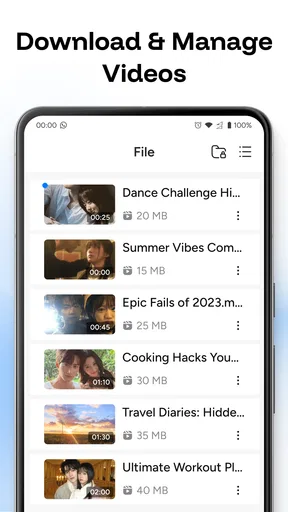
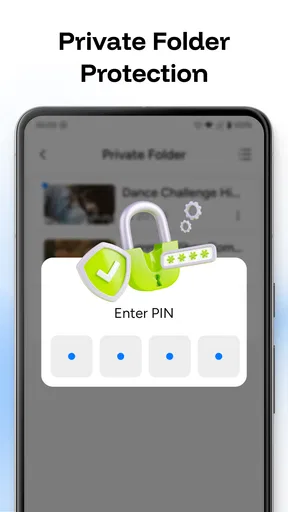
Our Review of AnySaver: All Video Downloader
 Analysis by Appyee
When I first opened AnySaver: All Video Downloader, I approached it as a simple video utility rather than a full editing suite. That distinction matters. It belongs to the video players and editors category, but its main appeal is straightforward: helping you save videos for later viewing instead of making you manage a complicated production workflow. If you want a focused way to handle video downloads on a compatible Android device, it has an immediately understandable purpose.
The app is free, carries an Everyone age rating, and is made by MANPOWER VIETNAM PACIFIC JOINT STOCK COMPANY. It has passed the early adoption stage with more than one hundred thousand installs, while its current release is version one point zero. Those details suggest a young product, so I would approach it with realistic expectations: the basic idea is easy to understand, but the overall experience may feel less mature than a long-established media manager.
Getting from installation to your first saved video
I’d make the first download a short video you have permission to save, then check the app’s on-screen guidance before choosing a destination or quality. That gives you a low-risk way to learn how the transfer and playback fit together on your phone. Once you know where the file goes, the next section can help you decide what to check before relying on a saved video.
What the first launch feels like
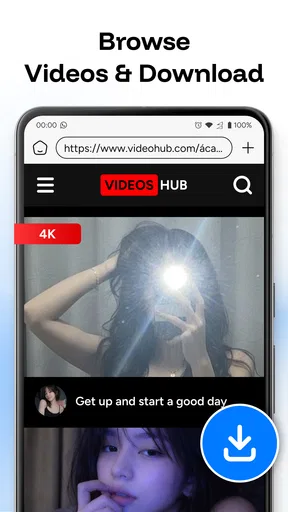
The best way to begin is to decide what you actually want from the app. If your goal is to download a video and watch it later, AnySaver is easier to evaluate than if you expect advanced editing, cloud synchronization, playlist intelligence, or a replacement for every video service on your phone. Its store summary emphasizes fast HD video downloads and smoother viewing, so the central test is whether it makes that particular routine less awkward.
After installing it, I would keep the first session deliberately simple. Open the app, look for its main download area, and avoid changing anything you do not yet understand. A first-time user benefits from treating the opening screen as a starting point rather than exploring every option at once. The important milestone is not discovering every control; it is completing one download and then finding the resulting file.
Because the app requires Android ten or later, compatibility should be your first practical check. On a supported phone, the initial setup should be approached with the same care I use for any downloader: read each on-screen request, grant only what is needed for the action you are trying to perform, and pay attention to where the app says a video will be stored. That last point prevents a common beginner mistake—successfully downloading a file and then assuming it disappeared because it is not in the gallery view you normally use.
Making the first meaningful download
For the first attempt, choose a short video that you are allowed to save and that you do not mind using as a test. This is more useful than beginning with a long, high-quality file. A small test lets you confirm the complete path: locating the source, starting the download, waiting for it to finish, and opening the saved result. If something goes wrong, you will know which stage needs attention instead of wondering whether the problem came from file size, source restrictions, or storage.
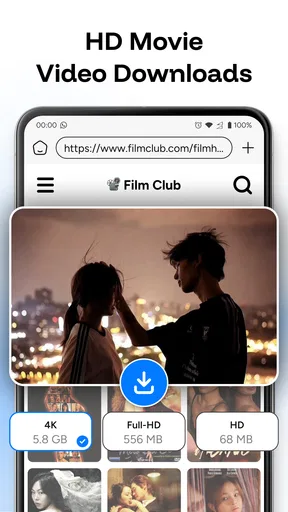
The phrase “HD” should not be interpreted as a guarantee that every source will offer the same quality. The available resolution depends on the video and the service from which it comes. In practice, I would choose a quality that matches the job. A clip for occasional offline viewing does not always need the largest file, while a presentation or travel video may benefit from clearer detail. The trade-off is simple: better quality generally means more storage use and a longer wait.
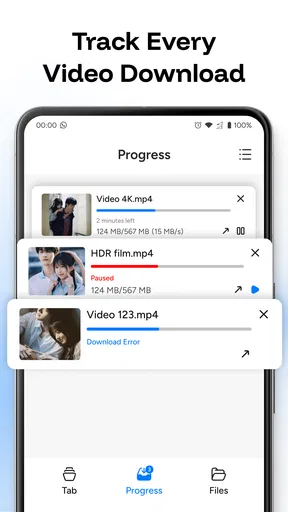
Once the download begins, resist the temptation to start several jobs immediately. A first-time user learns more by watching one transfer complete. Notice whether the app shows progress, where the finished file appears, and whether tapping the completed item opens it inside the app or hands it to another player. Those observations answer questions that a short store description cannot answer and help you build a repeatable routine.
A realistic everyday example would be a commuter preparing for a trip with unreliable connectivity. I would save a few permitted videos at home, open each one before leaving, and confirm that playback works without relying on the original web page. This small verification step is valuable. It catches incomplete downloads early and prevents the frustrating situation of discovering during a journey that a file was only partially saved or that the source required an online connection.
Understanding the difference between downloading and viewing
AnySaver is most useful when you separate two tasks: obtaining a file and watching it afterward. The app is positioned around downloading, while playback may depend on how the saved video is handled on your device. If a file opens directly in the app, that is convenient. If it opens through another player, that is not necessarily a flaw, but it means your experience depends partly on the player already installed on your phone.
This is also where the comparison with usual alternatives becomes important. A browser can sometimes save media, but the process may be hidden behind menus or tied closely to a particular website. A dedicated downloader can make the action more visible and repeatable. On the other hand, a built-in offline feature inside a streaming service is often better integrated for that service, with clearer account and playback controls. I would choose AnySaver when I want a separate download-focused workflow, not when I specifically need the polished offline system of a subscription platform.
It is equally important not to confuse this app with a full video editor. If your priority is trimming clips, adding captions, balancing audio, or assembling a social post, an editing-focused application will be the better tool. AnySaver makes more sense for collecting videos for later viewing than for transforming them into new content.
Where beginners usually get stuck
The first source-related confusion is assuming that every online video can be downloaded in exactly the same way. Websites and services handle media differently, and some may restrict saving or require their own offline method. If a link does not behave as expected, I would not repeatedly paste it or install unrelated tools to force the process. Try a source you are authorized to save, check the app’s visible instructions, and treat compatibility as part of the decision rather than as a problem to bypass.
The second confusion concerns ownership and permission. A downloader can make a file easier to save, but it does not automatically grant permission to copy or redistribute it. My practical rule is to use the app for your own videos, openly downloadable material, or content whose creator has given permission. That keeps the workflow useful without turning a convenient tool into a copyright headache.
Storage is another easy detail to overlook. Several high-quality videos can occupy much more space than expected, especially if you keep both the original and downloaded versions. I recommend checking your available storage before a batch download, then deleting test files and unwanted clips after confirming that the videos you need play correctly. This is one of the simplest ways to keep a downloader from quietly becoming a source of phone clutter.
File location can also create unnecessary anxiety. If the downloaded video does not appear in the same place as camera recordings, look through the app’s own video list and your device’s file manager. Use the filename and recent modification time to identify it. The useful habit here is to confirm the storage path after your first success, because later downloads become much easier when you already know where to look.
Practical habits that make the app easier to live with
My first tip is to test one file before planning a large collection. This confirms that the source works, the quality is acceptable, and playback is available. My second tip is to choose filenames or folders that make sense for your own routine when the app allows that kind of organization. A collection named only with vague titles becomes difficult to search later, particularly if you download videos for different trips, lessons, or personal projects.
A third useful habit is to verify playback while you still have internet access. Do not assume that a completed progress indicator means the file is ready for every situation. Open it, skip through a few points, and check that the picture and sound behave normally. This is especially helpful when preparing for travel or saving educational material for a place with weak reception.
I would also avoid treating “fast” as the only measure of success. A quick download that fills the phone with files you never watch is less useful than a slower, carefully selected collection. Choose quality according to the screen you will use, keep only the videos that serve a purpose, and remove failed attempts promptly. That approach makes the app feel more reliable because you are controlling the workflow rather than letting downloads accumulate.
Who should use it, and who should choose something else
AnySaver is a sensible option for someone who wants a direct, download-centered video tool and prefers to keep saved clips available for later viewing. It may suit students collecting permitted reference material, travelers preparing personal entertainment, or anyone who regularly works with videos they have the right to store locally. The free price also makes it easy to try without committing money before you know whether the workflow fits your habits.
I would be more cautious if you need a mature media library with extensive sorting, automatic synchronization, or sophisticated editing. The current version is one point zero, and that makes the app feel like something to evaluate for its core task rather than a guaranteed all-in-one solution. Users who depend on advanced organization or a deeply integrated offline catalog may be happier with a platform’s official download feature or a more established media manager.
It is also not the right choice for someone who expects every website to work identically. Downloading is shaped by the source, and no separate app can remove every service-level limitation. If your viewing habits are centered on one streaming service, its official offline option may provide a smoother and more predictable experience. If your main activity is editing, choose an editor. The strength of AnySaver is narrower, and that is useful only when the narrow task matches your need.
My final take after settling into the workflow
I like the clarity of the idea: find a permitted video, save it, and watch it later without repeating the original search. That makes AnySaver approachable for a first-time user, especially when the goal is a small number of offline files rather than a complex archive. The path to a first success is reassuring when you start with a short test, confirm the file location, and check playback before relying on the download.
At the same time, I would keep its limitations in view. Source compatibility, storage management, and the difference between downloading and editing all matter more than the simple promise of speed. The app should be judged by whether it handles your particular video sources and routine, not by how many features you can imagine adding to it.
For Android users on a supported system, this free video player and downloader is worth trying when you want a separate way to save videos for personal offline viewing. I would recommend beginning modestly, using content you are authorized to download, and keeping your collection organized from the first file. With those habits, AnySaver can become a practical part of a viewing routine; without them, a more integrated official offline feature or a specialized editor may be the better fit.
Verdict
Strengths of AnySaver: All Video Downloader
- Downloads videos from multiple supported platforms in one place.
- Simple interface makes saving videos quick for first-time users.
- Built-in file management helps organize downloaded content.
- Supports background downloads while using other apps.
- Useful for offline viewing when internet access is limited.
Limitations of AnySaver: All Video Downloader
- Platform compatibility may change as websites update their policies.
- Download speeds depend heavily on your connection and source server.
- Some features may require watching ads or upgrading to premium.
- Downloaded files can consume storage quickly, especially at high quality.
- Users must respect copyright and each platform’s terms of service.
Similar Picks in This Category
View All
Google TV
Google LLC3.9

iTunes
Apple4.7

YouTube
Google LLC3.8

MX Player
Amazon Mobile LLC4.2

CapCut - Video Editor
Bytedance Pte. Ltd.3.5

PLAYit-All in One Video Player
PLAYIT TECHNOLOGY PTE. LTD.4.5
Frequently Asked Questions
What is AnySaver: All Video Downloader used for?
AnySaver: All Video Downloader is designed to help users save videos and other supported media from compatible online platforms to their device. After entering a video link or using the app’s sharing options, you can usually choose an available quality or format before downloading. Its usefulness depends on platform compatibility, current app functionality, and the permissions required on your Android or iOS device.
Is AnySaver: All Video Downloader free to download and use?
The application may be available as a free download, but some features can be limited by advertisements, in-app purchases, subscriptions, or usage restrictions. Before downloading, check the store listing carefully for pricing details and trial conditions. Also remember that mobile data usage, storage consumption, and possible premium tools may create additional costs even when the initial installation is free.
How do I download a video with AnySaver?
In general, you can copy a supported video URL, open AnySaver, and paste the link into its downloader interface. Some versions may also let you share a link directly from another application to AnySaver. The app then analyzes the address and displays available download options. The exact process can vary depending on the source platform, app version, and device operating system.
Is downloading videos with AnySaver legal and safe?
The safety and legality of a download depend on the content, source, and how you use the saved file. You should only download videos that you own, have permission to store, or that the platform explicitly makes available for offline use. Respect copyright and each service’s terms. Avoid suspicious links, review requested permissions, and install the app only from a trusted official store.
What problems might I encounter when using AnySaver?
Users may experience failed downloads, unavailable quality options, broken links, slow performance, advertisements, or compatibility problems after a platform changes its website or sharing system. Downloads can also require considerable storage and may fail when the connection is unstable. If an issue occurs, update the app, verify the URL, check available storage and permissions, and avoid downloading from unsupported services.
